Hold
Mantén
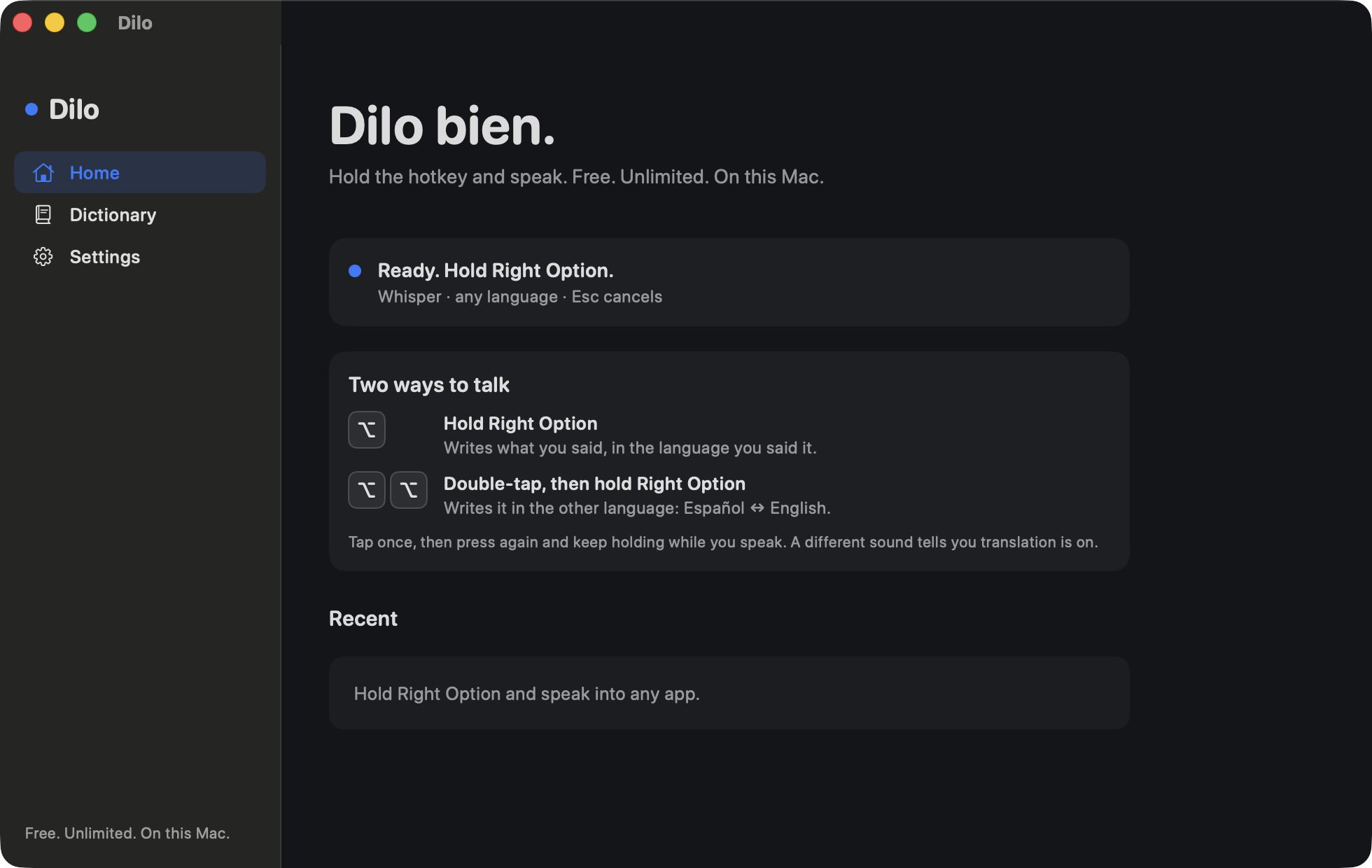
Hold Right Option. Dilo listens only while the key is down.
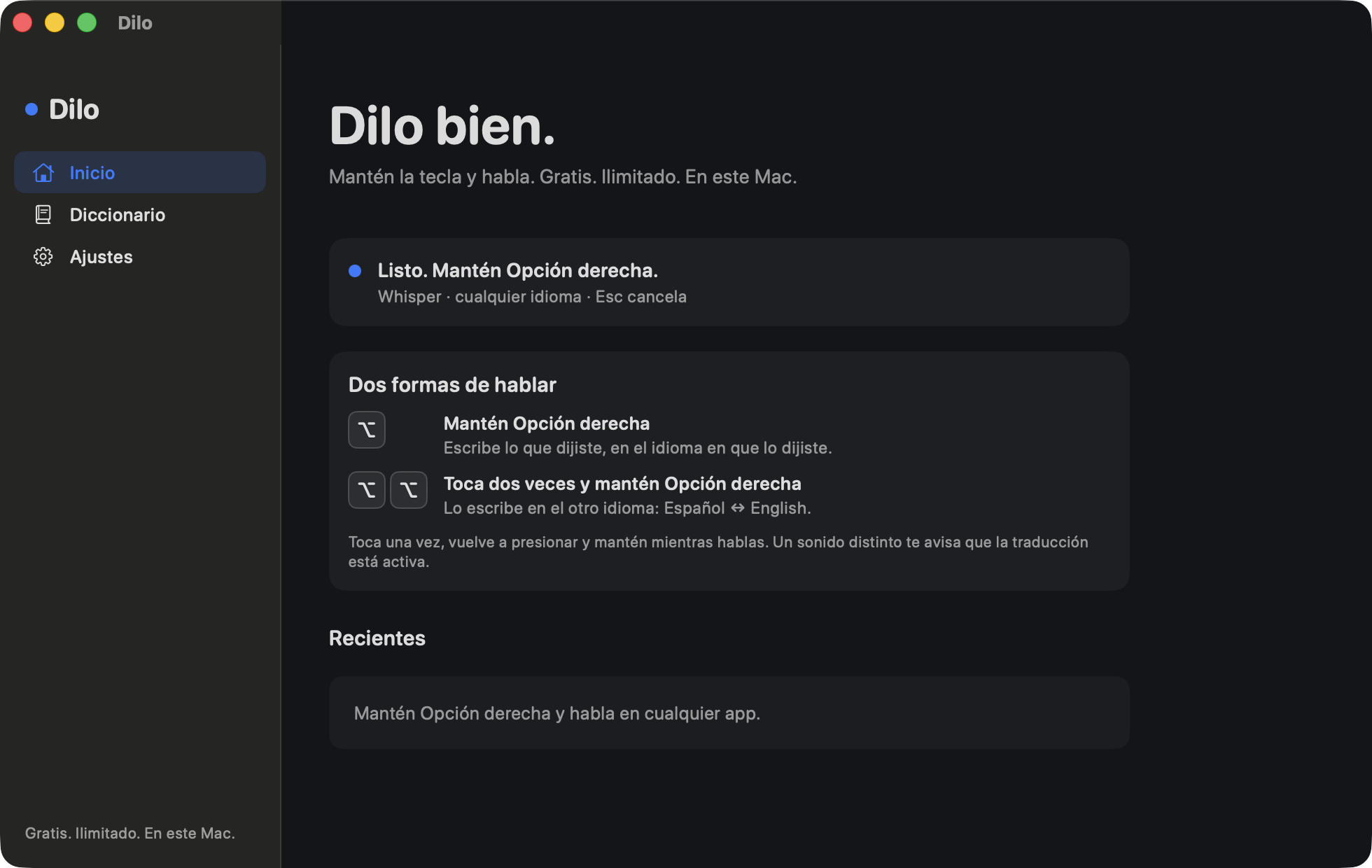
Mantén Opción derecha. Dilo escucha solo mientras la tecla está abajo.
Speak
Habla
Say what you mean. Spanish, English, or both in one sentence. Say your punctuation out loud.
Di lo que quieres decir. Español, inglés, o los dos en una frase. Dicta la puntuación en voz alta.
Let go
Suelta
The text lands where you were already typing. No window comes forward.
El texto cae donde ya estabas escribiendo. Ninguna ventana se pone al frente.
See it
Así se ve
How it works
Cómo funciona
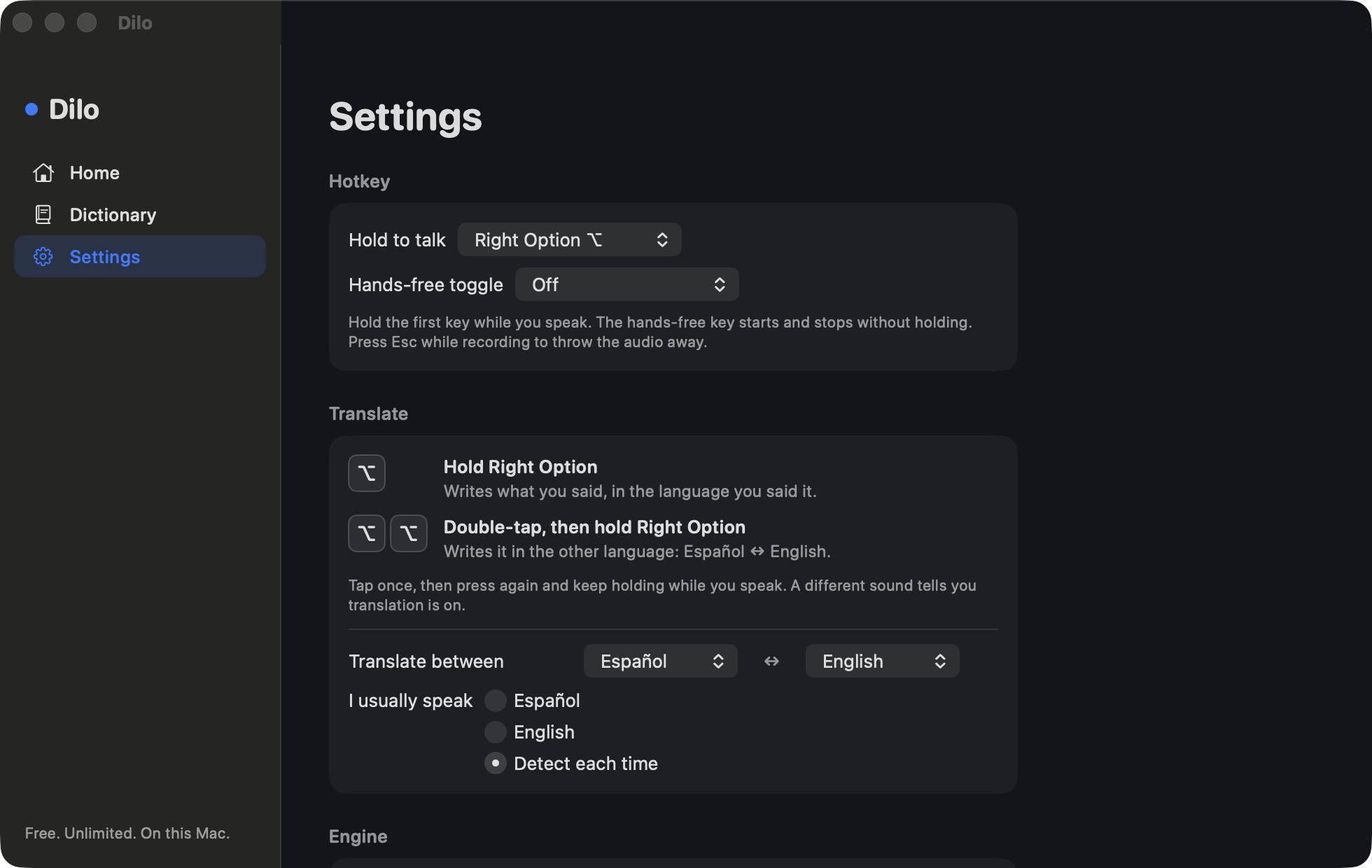
Hold Right Option, say what you mean, and let go. Dilo writes it into the field you were already in. It never brings its own window forward, and it never touches your clipboard unless you turn that on yourself. Press Esc while you talk to throw the recording away.
Say your punctuation out loud, in either language: coma, punto, comma, period, new line. Correct yourself mid sentence and it keeps the correction: say "nos vemos a las cuatro, digo a las tres" and you get a las tres. Filler words go away on their own: um, uh, este, o sea, you know.
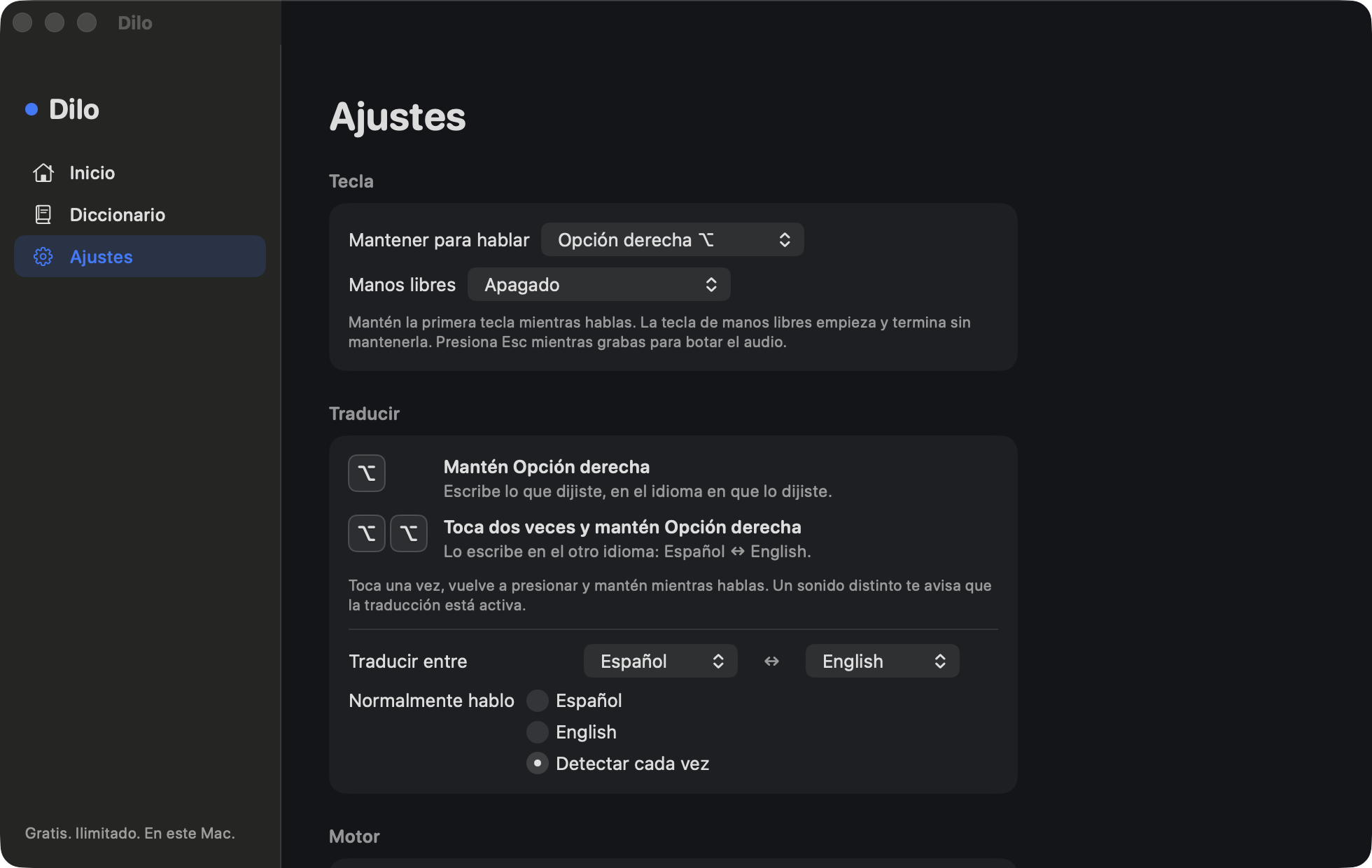
Mantén Opción derecha, di lo que quieres decir y suelta. Dilo lo escribe en el campo donde ya estabas. Nunca pone su propia ventana al frente y nunca toca tu portapapeles, a menos que tú lo actives. Presiona Esc mientras hablas para botar la grabación.
Dicta la puntuación en voz alta, en cualquiera de los dos idiomas: coma, punto, comma, period, new line. Corrígete a mitad de frase y se queda con la corrección: di "nos vemos a las cuatro, digo a las tres" y te sale a las tres. Las muletillas se van solas: este, o sea, eh, um, you know.
Two languages
Dos idiomas
Speak one, write the other. Hold the key and Dilo writes what you said. Double-tap and hold the same key and it writes it in the other language of your pair: speak Spanish, get English; speak English, get Spanish. Tap once, then press again and keep holding while you speak. A different sound tells you translation is on.
Habla uno, escribe el otro. Mantén la tecla y Dilo escribe lo que dijiste. Toca dos veces y mantén la misma tecla, y lo escribe en el otro idioma de tu par: hablas español, sale inglés; hablas inglés, sale español. Toca una vez, vuelve a presionar y mantén mientras hablas. Un sonido distinto te avisa que la traducción está activa.
Dictionary
Diccionario
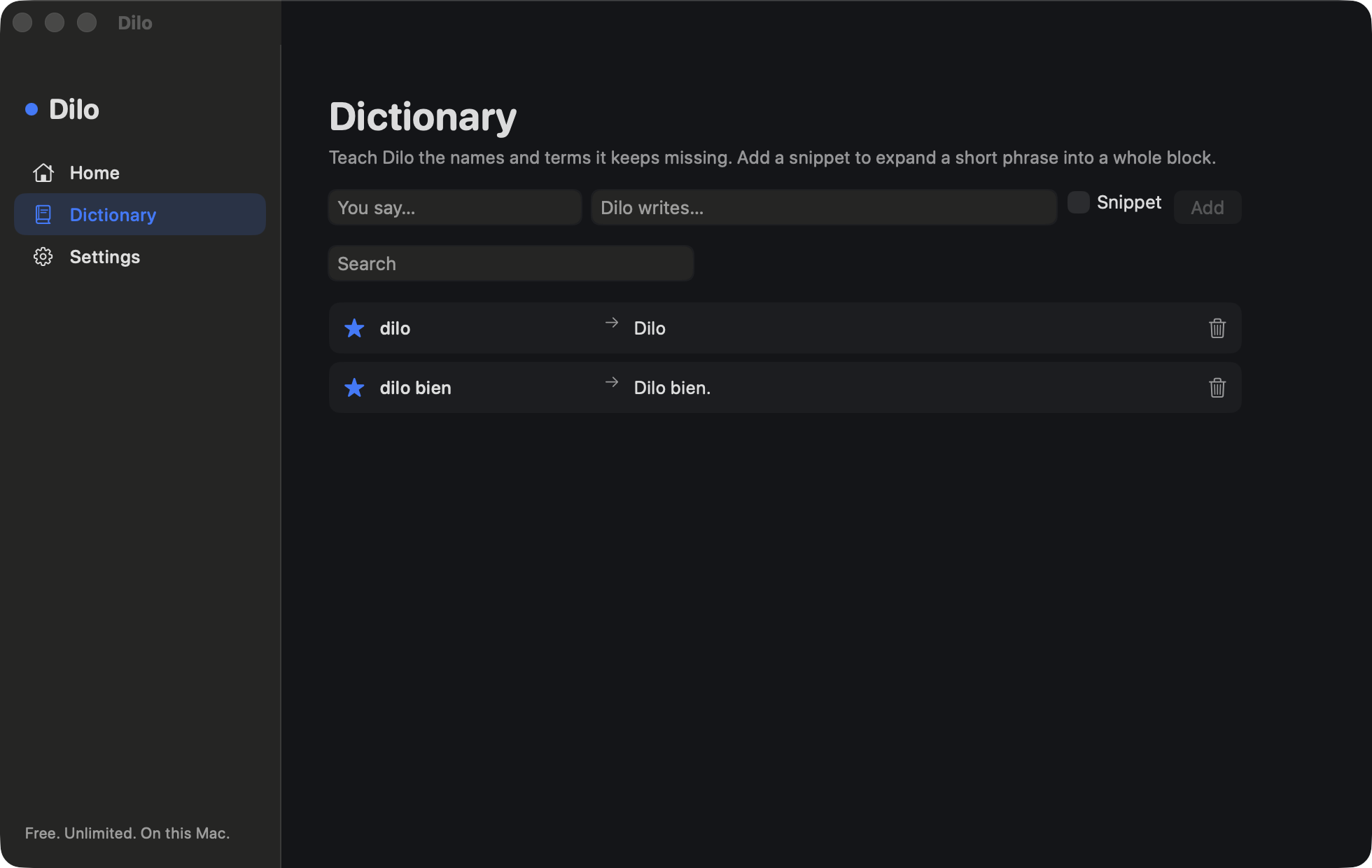
This is where it becomes yours. Teach it the names and terms speech recognition always gets wrong, once, and it stops getting them wrong. Mark an entry as a snippet and a short phrase expands into a whole block of text.
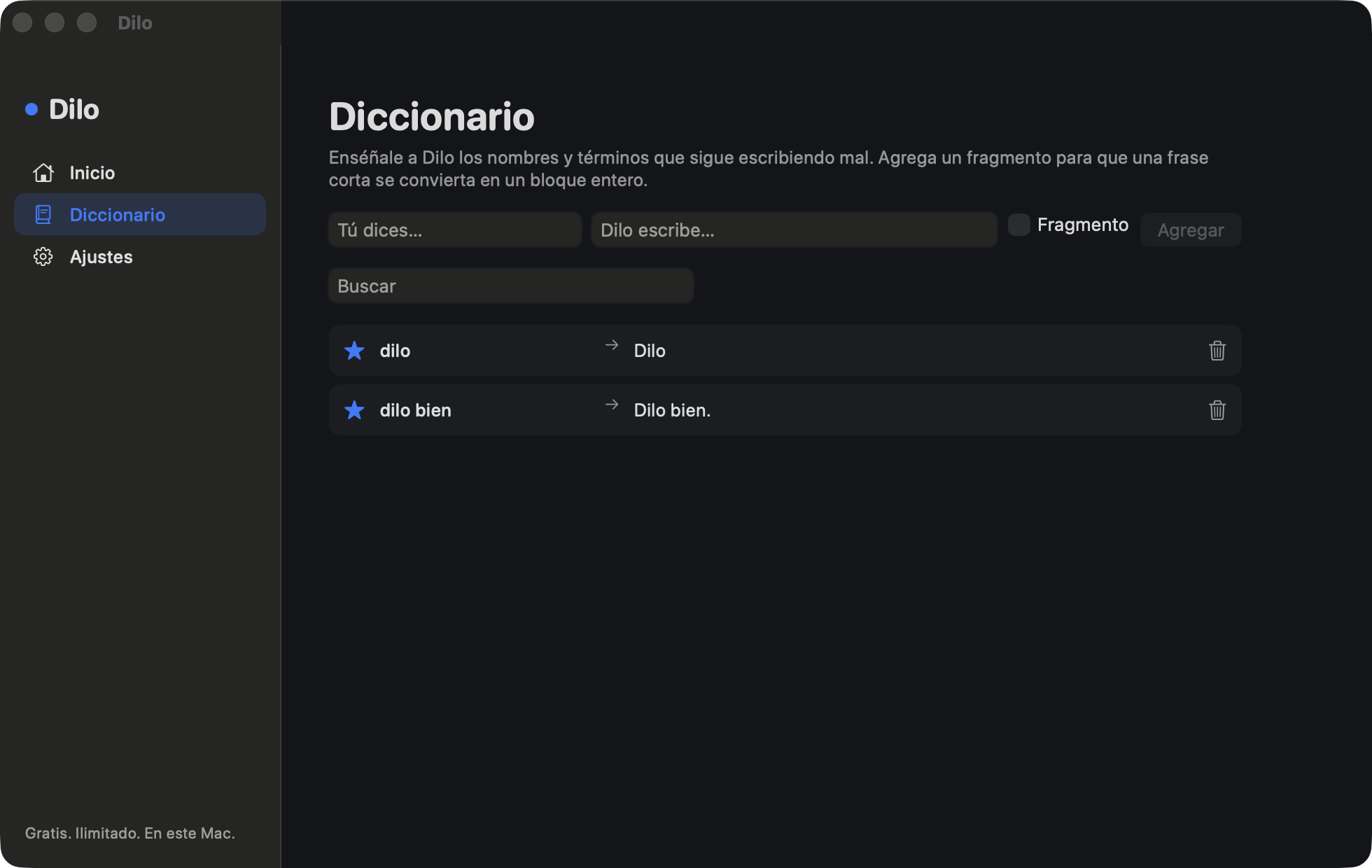
Aquí es donde se vuelve tuyo. Enséñale una vez los nombres y términos que el reconocimiento de voz siempre escribe mal, y deja de equivocarse. Marca una entrada como fragmento y una frase corta se convierte en un bloque entero de texto.
It keeps itself up to date
Se actualiza solo
Dilo is not on the Mac App Store, because the store requires the sandbox and a sandboxed app is never allowed to type into other apps. So Dilo carries its own updater: it checks once a day, downloads quietly, and applies the new version the next time it starts. Every update is signed with a key only I hold, and a Dilo already on your Mac refuses anything that key did not sign. You can turn it off in Settings.
Dilo no está en la Mac App Store, porque la tienda exige el sandbox y a una app en sandbox nunca la dejan escribir en otras apps. Por eso Dilo trae su propio actualizador: revisa una vez al día, descarga en silencio y aplica la versión nueva la próxima vez que arranca. Cada actualización va firmada con una llave que solo tengo yo, y un Dilo que ya está en tu Mac rechaza todo lo que esa llave no haya firmado. Lo puedes apagar en Ajustes.
Two engines, and when to switch
Dos motores, y cuándo cambiar
Apple's speech engine
El motor de voz de Apple
You start here. It is instant, it is already on your Mac, and it downloads nothing. For a lot of people that is the whole story. The catch is that Apple only understands the languages macOS has already downloaded a model for. On an English Mac that usually does not include Spanish, and it cannot follow a sentence that switches language halfway through.
Empiezas aquí. Es instantáneo, ya está en tu Mac y no descarga nada. Para mucha gente con eso basta. El problema es que Apple solo entiende los idiomas para los que macOS ya descargó un modelo. En un Mac en inglés eso casi nunca incluye el español, y no puede seguir una frase que cambia de idioma a la mitad.
Whisper
The answer to that, and the reason Dilo exists. One multilingual model that handles Spanish, English, and a sentence that changes language in the middle, without asking macOS for permission to speak your language. It is optional. It is a one-time 1.5 GB download, so do that part on wifi. After it lands, Dilo works with no connection at all.
La respuesta a eso, y la razón por la que existe Dilo. Un solo modelo multilingüe que maneja español, inglés y una frase que cambia de idioma en la mitad, sin pedirle permiso a macOS para hablar tu idioma. Es opcional. Es una descarga única de 1.5 GB, así que haz esa parte con wifi. Cuando termina, Dilo funciona sin ninguna conexión.
So: if you only ever dictate in one language your Mac already knows, stay on Apple's engine. If your sentences mix two languages, your Mac does not have Spanish, or you want to translate, that is when Whisper is worth the download.
Entonces: si solo dictas en un idioma que tu Mac ya conoce, quédate con el motor de Apple. Si tus frases mezclan dos idiomas, tu Mac no tiene español o quieres traducir, ahí vale la pena descargar Whisper.
Which Mac it runs on
En qué Mac funciona
- DictationmacOS 13 Ventura or later, on a Mac with Apple Silicon (M1 or newer).
- Translate to EnglishThe same Macs, with the Whisper engine downloaded.
- Translate to other languagesSpanish, Portuguese, French, Italian or German need macOS 26 or later, the Whisper engine, and that language installed under System Settings, General, Language & Region, Translation Languages. Dilo only offers what your Mac can actually write.
- App languageEnglish or Spanish. Dilo follows your Mac's language. To change only Dilo, open System Settings, General, Language & Region, Applications.
- DictadomacOS 13 Ventura o posterior, en un Mac con Apple Silicon (M1 o más nuevo).
- Traducir al inglésLos mismos Mac, con el motor Whisper descargado.
- Traducir a otros idiomasEspañol, portugués, francés, italiano o alemán necesitan macOS 26 o posterior, el motor Whisper y ese idioma instalado en Configuración del Sistema, General, Idioma y región, Idiomas de traducción. Dilo solo ofrece lo que tu Mac de verdad puede escribir.
- Idioma de la appEspañol o inglés. Dilo sigue el idioma de tu Mac. Si tu Mac está en inglés y quieres Dilo en español, abre Configuración del Sistema, General, Idioma y región, Aplicaciones, y elige Español para Dilo.
Intel Macs are not supported. There is no iPhone or iPad version.
Los Mac con Intel no son compatibles. No hay versión para iPhone ni iPad.
First launch
La primera vez
Open the app and Dilo asks for two things. A third only matters if you stay on Apple's engine.
Abre la app y Dilo te pide dos cosas. Una tercera solo importa si te quedas con el motor de Apple.
- MicrophoneDilo listens only while you hold the hotkey.
- AccessibilityThis is how Dilo types into other apps. It does not read your screen.
- Speech RecognitionOnly if you stay on Apple's engine, and only on this Mac. Audio is not uploaded. Whisper does not use it at all.
- MicrófonoDilo escucha solo mientras mantienes la tecla.
- AccesibilidadAsí es como Dilo escribe en otras apps. No lee tu pantalla.
- Reconocimiento de vozSolo si te quedas con el motor de Apple, y solo en este Mac. El audio no se sube. Whisper no lo usa para nada.
Accessibility is the one macOS will not grant from a prompt. Open System Settings, then Privacy & Security, then Accessibility, and switch Dilo on. It notices within a couple of seconds. That is the setup. Hold Right Option and talk.
Accesibilidad es el que macOS no concede desde un aviso. Abre Configuración del Sistema, luego Privacidad y seguridad, luego Accesibilidad, y activa Dilo. Lo nota en un par de segundos. Eso es todo. Mantén Opción derecha y habla.
Nothing leaves your Mac
Nada sale de tu Mac
Your voice is transcribed on the machine in front of you. There is no server, no account, and no sign in.
The recording is a temporary file that is deleted the moment the transcription finishes. Your history and your dictionary are plain files in ~/Library/Application Support/Dilo, capped at 200 entries, never synced. Delete that folder and Dilo has forgotten everything.
No analytics. No crash reporting service. No word counter waiting to sell you a plan. Dilo does not read your screen and does not take screenshots, and there is no setting that turns that on.
Dilo makes exactly two kinds of network request in its life: the one-time model download, if you choose Whisper, and the daily check for a new version. Both are switchable off. Neither one carries a word you said. Translation uses only languages already on your Mac.
Tu voz se transcribe en la máquina que tienes enfrente. No hay servidor, ni cuenta, ni inicio de sesión.
La grabación es un archivo temporal que se borra en el momento en que termina la transcripción. Tu historial y tu diccionario son archivos simples en ~/Library/Application Support/Dilo, con un máximo de 200 entradas, nunca sincronizados. Borra esa carpeta y Dilo lo olvida todo.
Sin analíticas. Sin servicio de reportes de fallos. Sin un contador de palabras esperando para venderte un plan. Dilo no lee tu pantalla ni toma capturas, y no hay ningún ajuste que active eso.
Dilo hace exactamente dos tipos de conexión a internet en toda su vida: la descarga única del modelo, si eliges Whisper, y la revisión diaria de una versión nueva. Las dos se pueden apagar. Ninguna lleva una sola palabra de lo que dijiste. La traducción usa solo idiomas que ya están en tu Mac.
What it is not
Lo que no es
There is no iPhone app, no meeting notetaker, and no subscription. Dilo is a menu bar utility for a Mac, and it is finished when the text lands correctly.
No hay app para iPhone, no toma notas de reuniones y no hay suscripción. Dilo es una utilidad de la barra de menú para Mac, y cumple cuando el texto queda bien escrito.
Dilo bien.
Hold the key and talk.
Mantén la tecla y habla.
Download for MacDescargar para MacVersion 1.2.2 · 4 MB · macOS 13 or later · Apple Silicon
Free. Unlimited words. No account.
Versión 1.2.2 · 4 MB · macOS 13 o posterior · Apple Silicon
Gratis. Palabras ilimitadas. Sin cuenta.